


Install the Microsoft Intune Company Portal on an iPhone, which includes Microsoft Intune management
- Open the Apple Apps store on your iPhone or iPad.
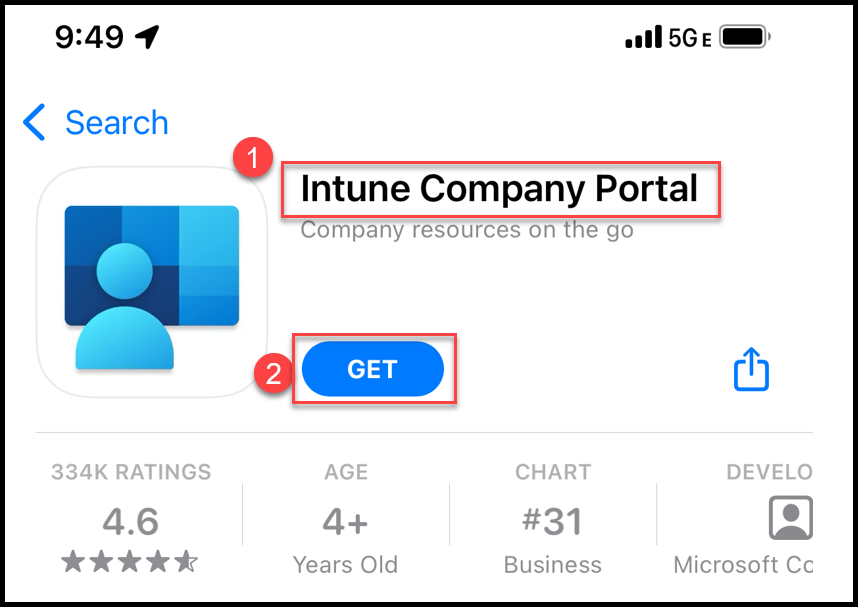
- Search for Intune Company Portal.
- Click GET.
- After installation, locate and open the Company Portal application.
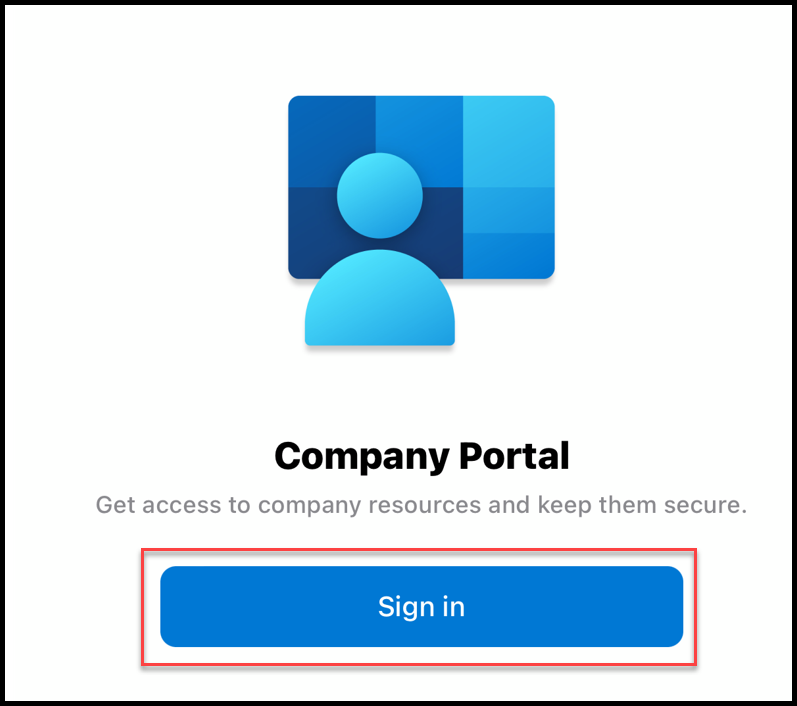
- Click on Sign in.
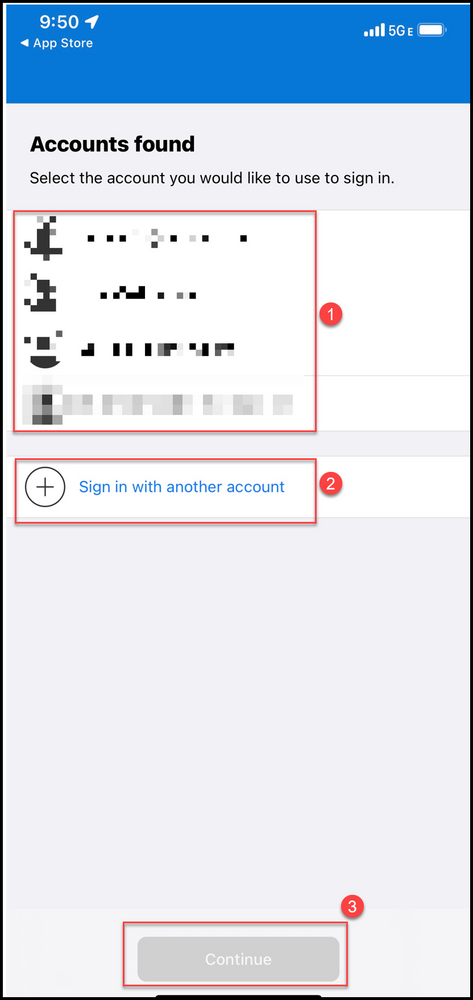
- Select an account.
- If your business account is listed, click on it.
- If your business account is not listed, click Sign in with another account.
- Click Continue.
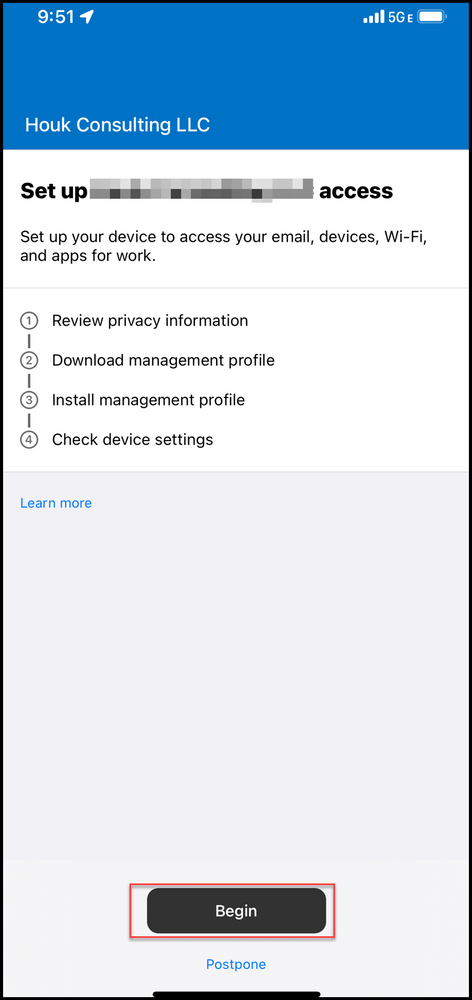
- Click Begin.
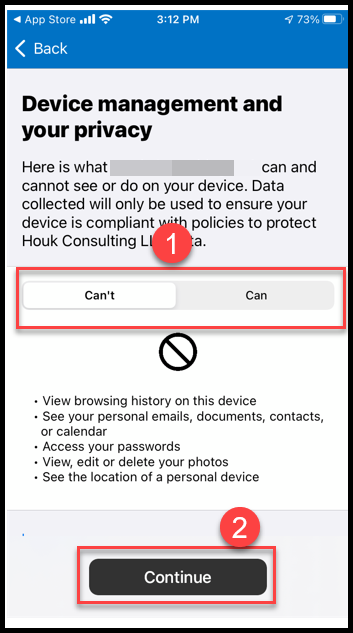
- Review and approve the privacy notification.
- Review what data is accessible by toggling between what the Device management Can't and Can see on your device.
- Click Continue
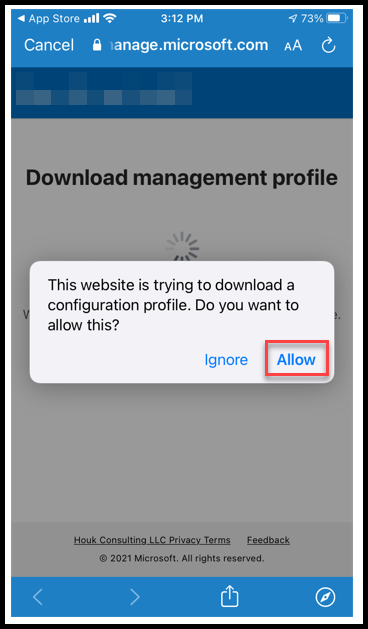
- Click Allow.
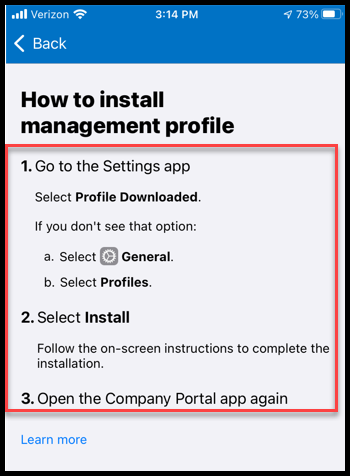
- Follow the steps outlined to complete the profile installation.
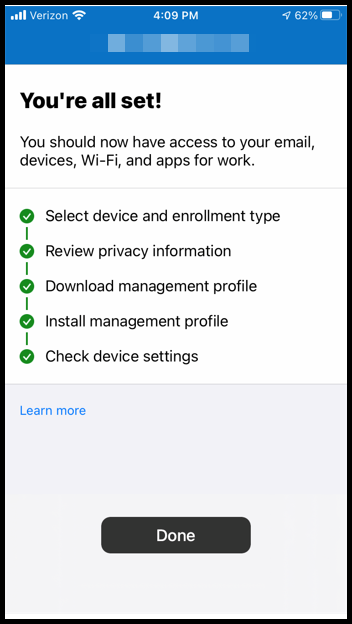
- Click Done.
SharkLink
SharkLink is NSU's online portal. With a single username and password, students, alumni, faculty, and staff members can easily access many online university applications.
Quick Guide
Students (PDF)Microsoft Online Archive
Faculty and Staff (PDF)
Current Hours of Operation
Monday-Friday: 8:30 a.m. – 5 p.m.
Saturday: Closed
Sunday: Closed
Closed on University Holidays
Holiday Schedule
Help Number for Students:
(954) 262-4357
Toll Free:
800-541-6682 ext. 24357
Help Number for Staff:
(954) 262-0070