


If you need to update your MFA verification method or phone number you can easily do so by going to http://mfasetup.nova.edu.
Please be aware that once you have registered for multi-factor, you need to multi-factor to access this site and change your settings. For example, if you chose to use the Authenticator app, you will receive an MFA prompt through the app that you will need to approve in order to proceed.
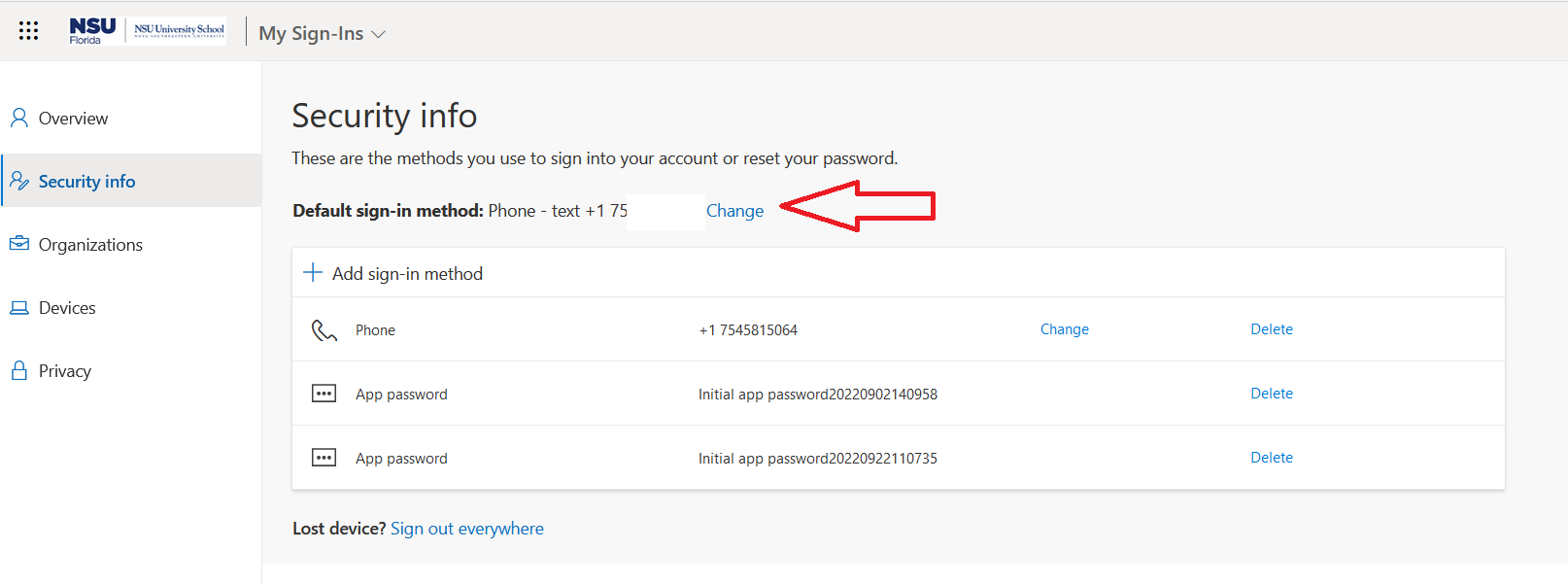
After logging in choose either to
- Change the phone number
- Add another sign in method
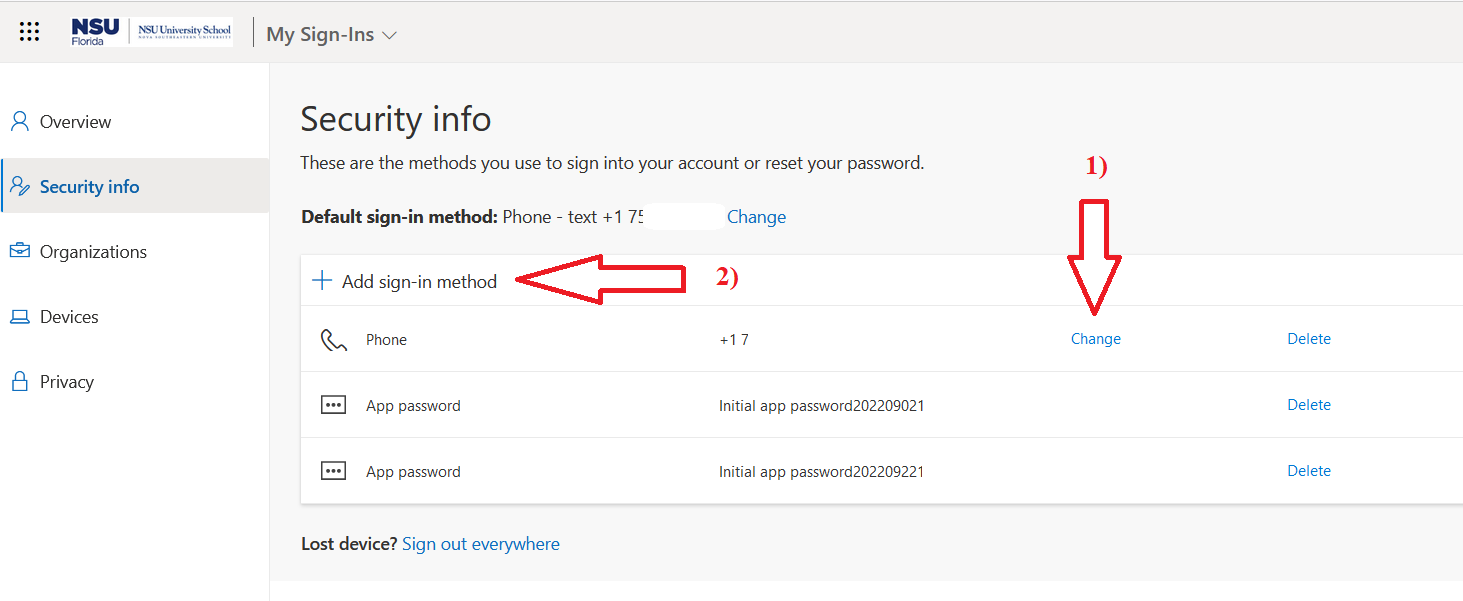
Change the phone number to the new number and choose the method to authorize
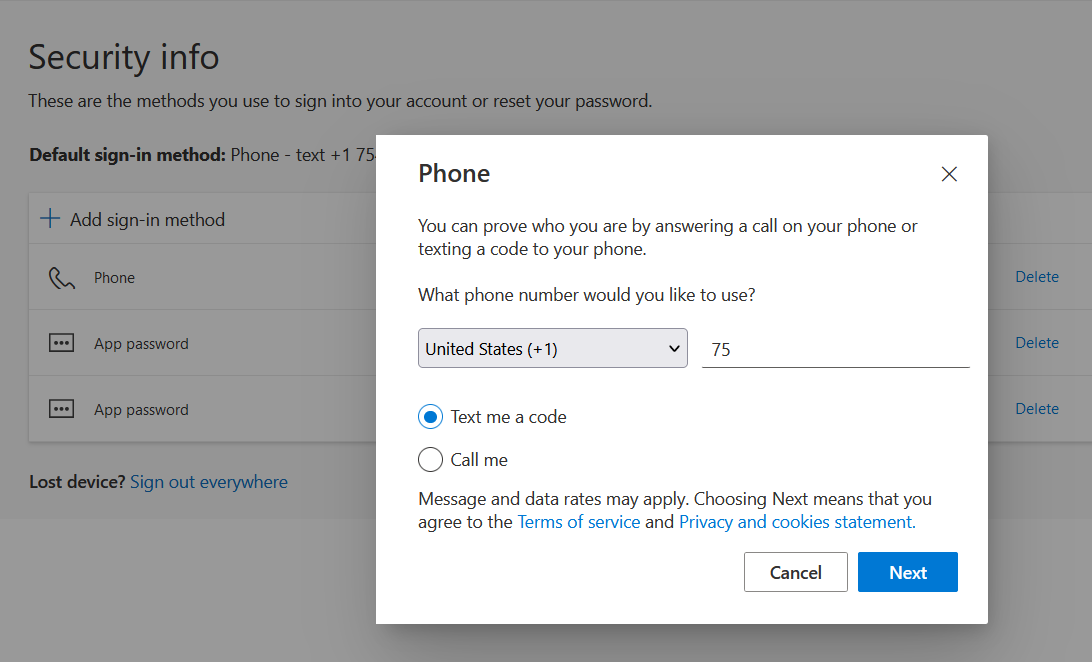
Choose a new method of authentication and enter the new phone number
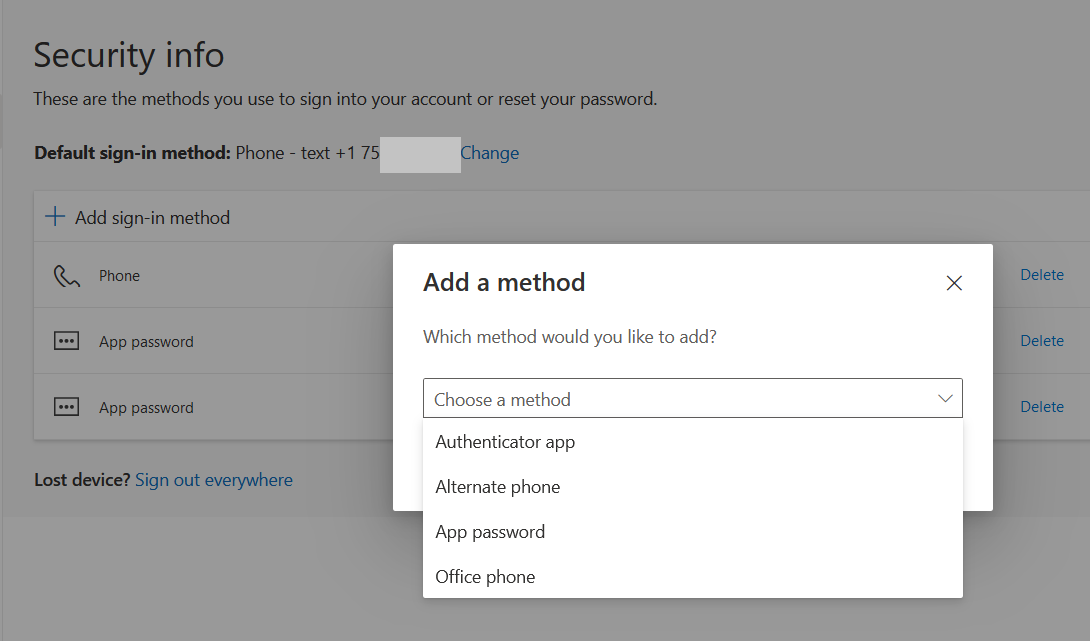
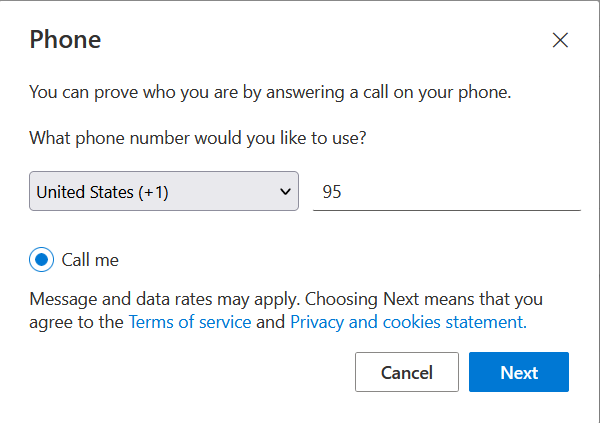
Finally choose the default sign in method (of the given options)
SharkLink
SharkLink is NSU's online portal. With a single username and password, students, alumni, faculty, and staff members can easily access many online university applications.
Quick Guide
Students (PDF)Microsoft Online Archive
Faculty and Staff (PDF)
Current Hours of Operation
Monday-Friday: 8:30 a.m. – 5 p.m.
Saturday: Closed
Sunday: Closed
Closed on University Holidays
Holiday Schedule
Help Number for Students:
(954) 262-4357
Toll Free:
800-541-6682 ext. 24357
Help Number for Staff:
(954) 262-0070